Create Text Analysis API Project & Setup Configuration
Set up a Text Analyze API project to process and understand user-generated content in real-time. Detect sentiment, spam, toxicity, and more with configurable rate limits and scalable plans.
Try Text Analysis Demo →Project Setup
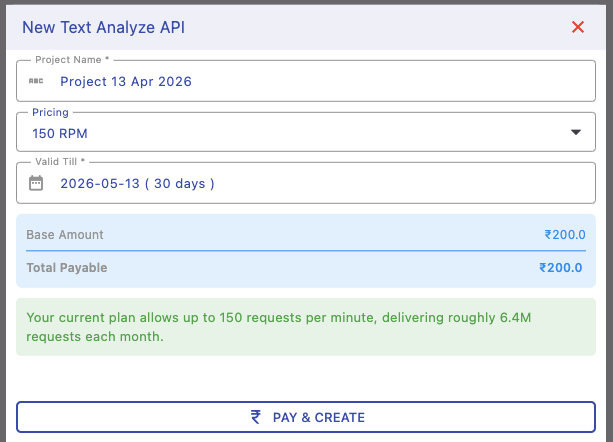
Create your project by assigning a name, selecting a pricing plan, and setting validity duration. This defines how long your API remains active and how much traffic it can handle.
Choose a plan based on expected usage to ensure smooth processing without throttling.
Pricing & Rate Limits
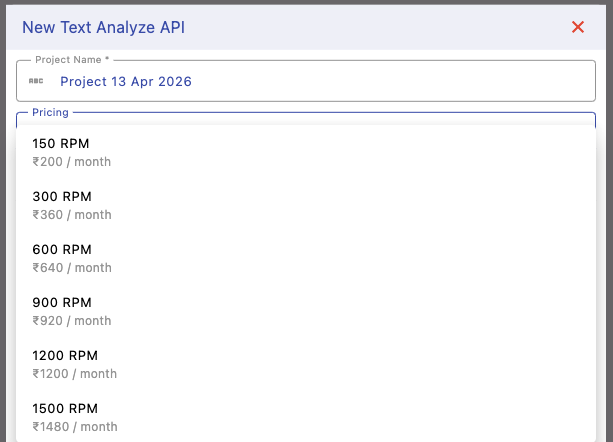
Select a plan based on your required requests per minute (RPM). Higher RPM allows more concurrent requests and better performance for high-traffic applications.
For example, a 60 RPM plan supports up to 60 requests per minute (~2.5M requests/month), making it suitable for production workloads.
Project Details & Usage
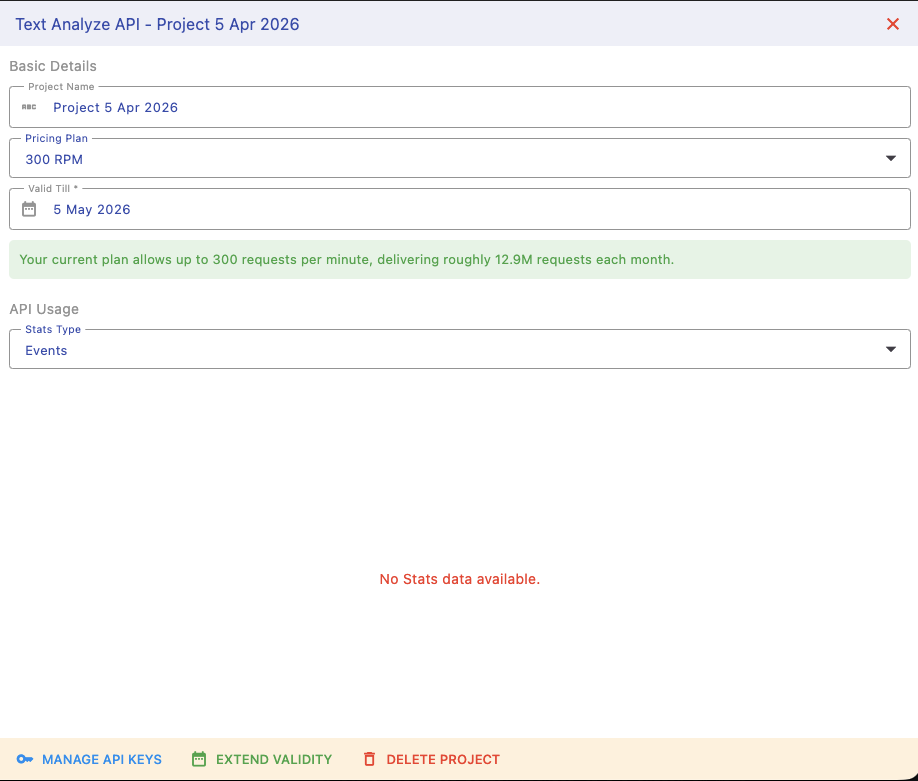
After creation, access your project dashboard to view API keys, current plan, and usage statistics. Monitor request volume, success rates, and performance metrics in real time.
This helps you optimize usage, detect issues early, and scale your plan when needed.
Next Steps
Start using and managing your Text Analysis API: