Create Advertising Campaigns with Targeting & Budget Control
Launch targeted ad campaigns to promote your links across multiple formats and audiences. Configure content, targeting, budget, and delivery rules to maximize reach and performance.
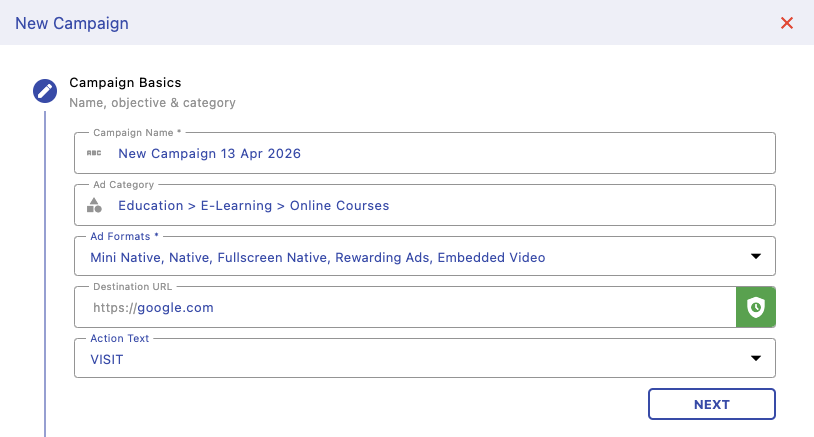
Campaign Basics
Define your campaign name, category, ad formats, destination URL, and call-to-action. This sets the foundation of your campaign and determines how your ads will appear to users.
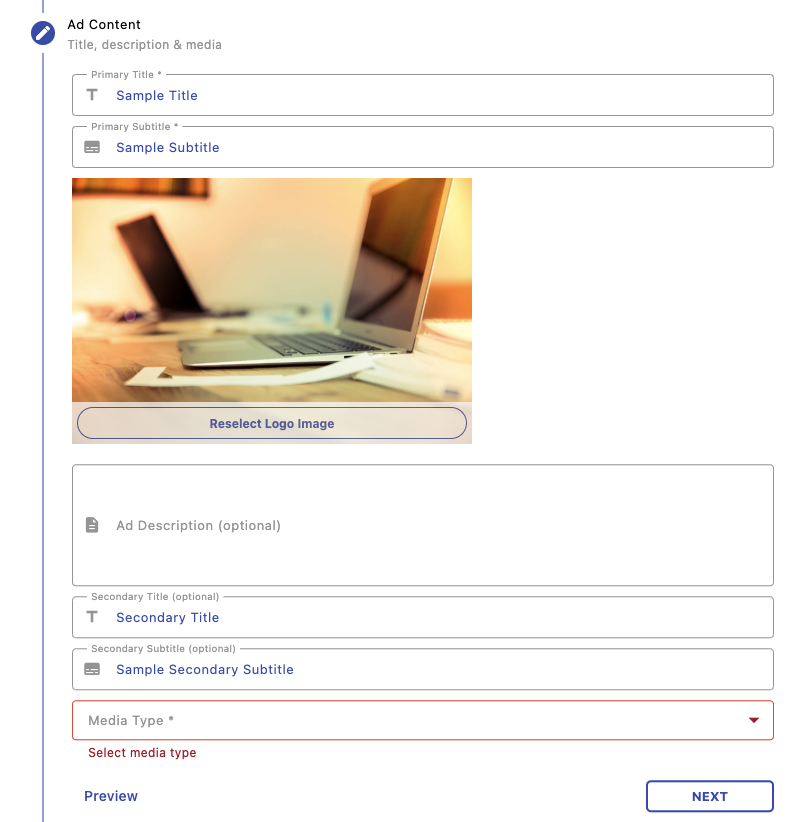
Ad Content
Add titles, subtitles, images, and descriptions for your ads. This is what users will see, so make sure your content is clear, engaging, and aligned with your campaign goal.
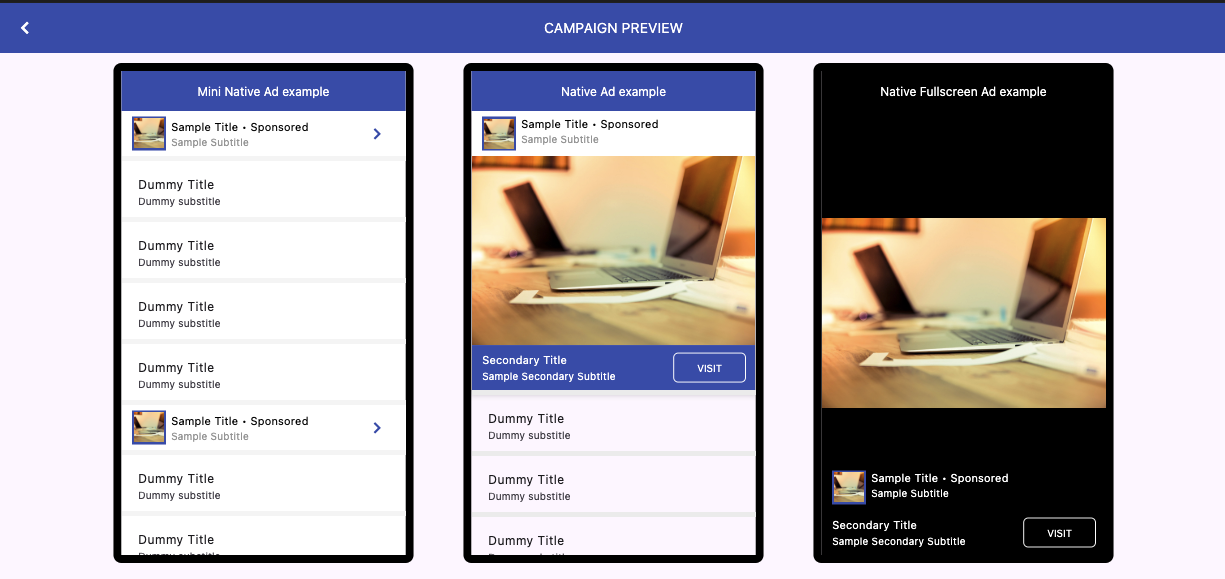
Preview
Preview how your ads will look across different formats like mini native, native, and fullscreen. This helps ensure your creatives look good before launching.
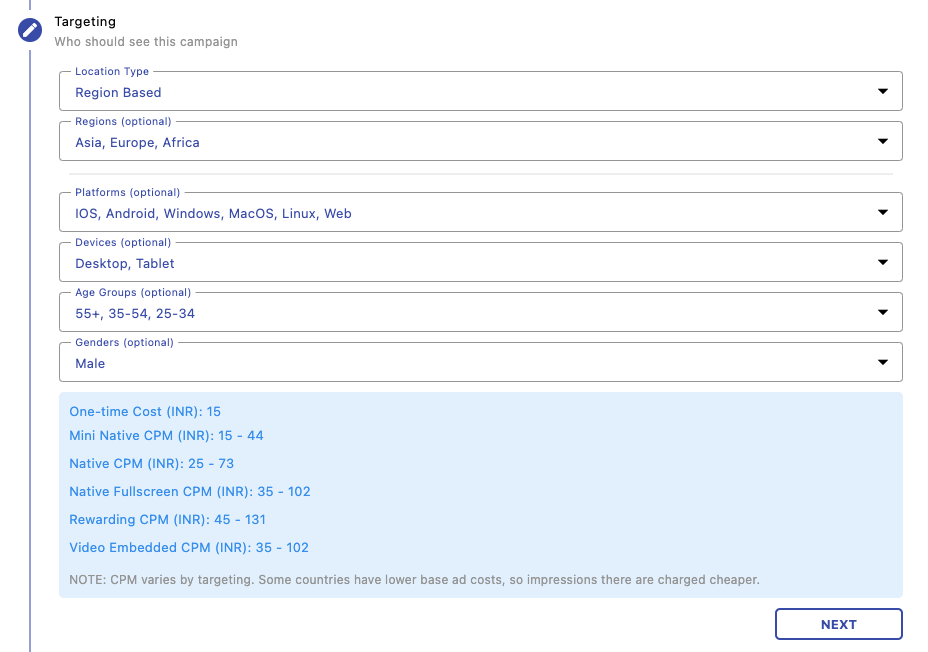
Targeting
Select your audience using filters like location, platform, device, age group, and gender. This ensures your ads are shown to the most relevant users for better engagement.
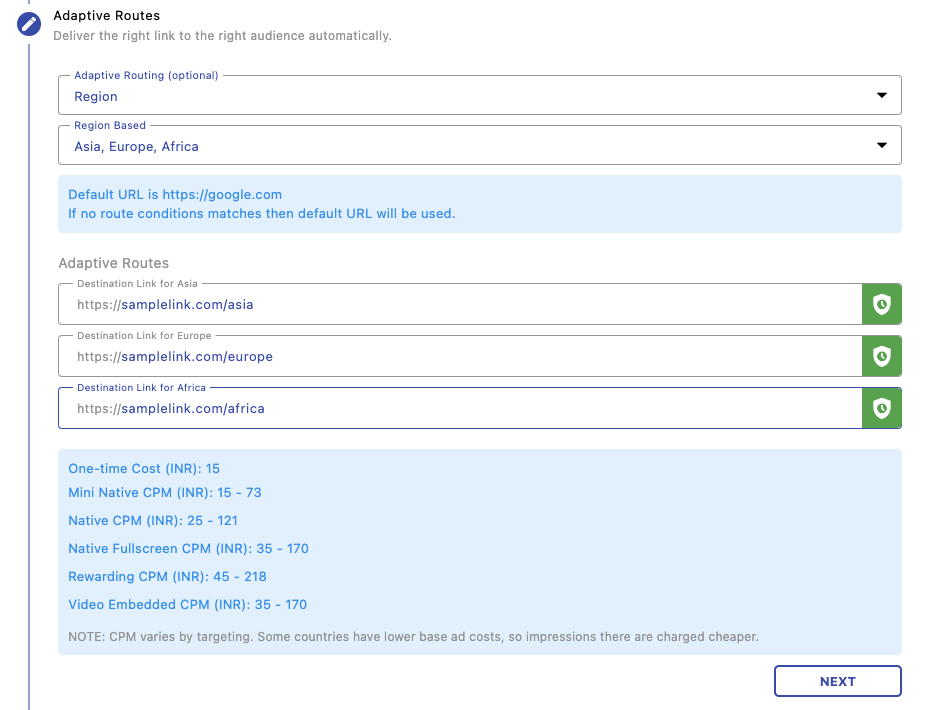
Adaptive Routing
Dynamically route users to different destinations based on conditions like region. If no condition matches, a default URL is used. This is useful for localized campaigns.
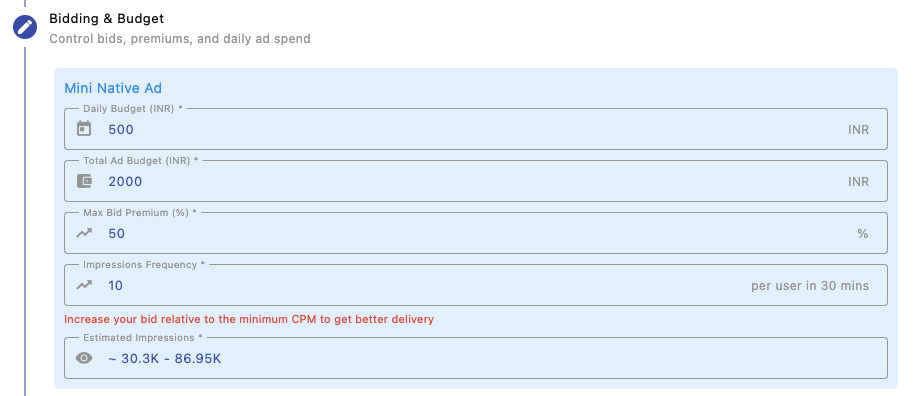
Bidding & Budget
Configure your daily budget, total spend, and bid premiums. These settings control how aggressively your campaign competes and how frequently ads are shown.
Bid Premium (%) allows you to increase your bid above the base CPM to improve delivery and win more impressions. Higher premiums increase visibility and reach, especially in competitive segments, but may also increase overall spend.
Finding the right balance helps optimize both performance and cost efficiency.
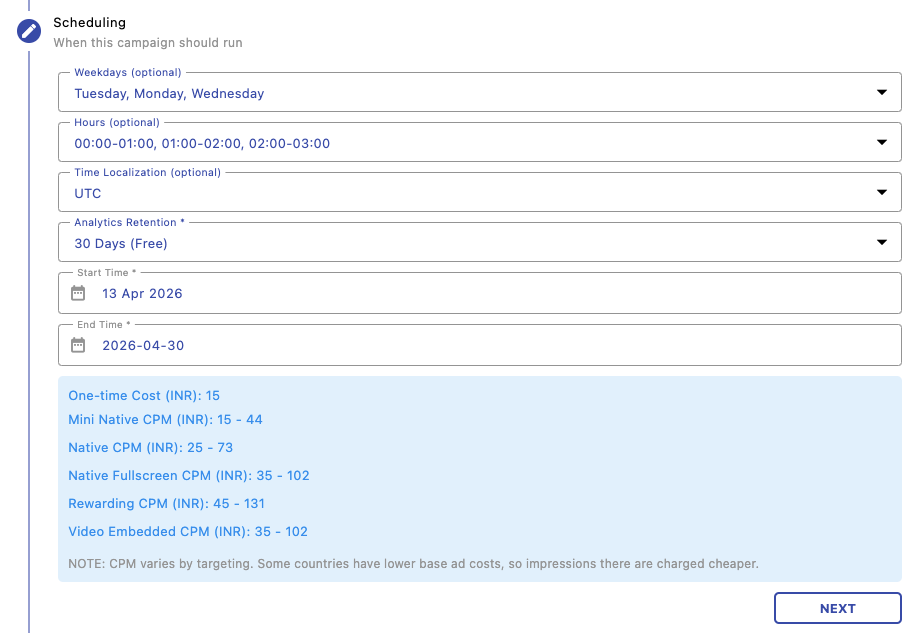
Scheduling
Control when your campaign runs by selecting specific days, time slots, and time zones. This helps optimize delivery during high-performing periods.
Next Steps
Manage and track your campaigns: